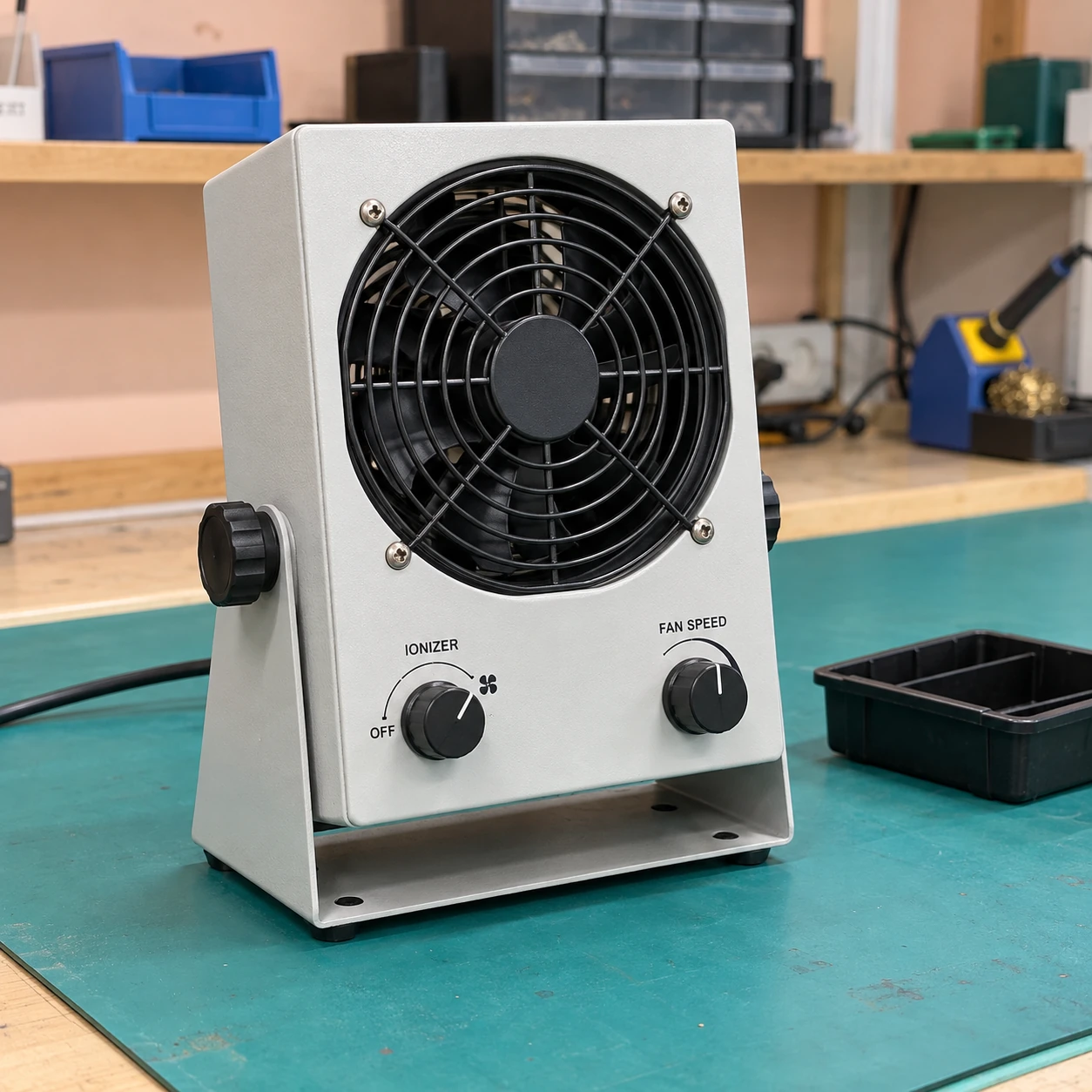
Ionizing Air Blowers
Ionizing Air Blowers
| Compact unit (W × D × H, mm) | 173 × 84 × 231, including stand |
|---|---|
| Wider unit (W × D × H, mm) | 359 × 166 × 183, including stand |
| Supply options | Compact: 100–230 V AC; wider format: 100–240 V AC; 50/60 Hz |
| Mounting | Bench stand with adjustable aim; compatible overhead mounting where specified |
| Air delivery | Adjustable fan output with accessible inlet and guarded outlet |
| Operation and service | Local status indication; emitter cleaning access; compatible alarm connection options |
The two envelopes represent different blower formats. Cable access and unobstructed inlet space are additional.
The blower format, mounting and monitoring arrangement can be customized to suit the workstation.
Ionizing air blowers carry ions toward a work area using an integral fan. They suit tasks where parts are handled within an open local zone and a continuous flow of ionized air can reach the exposed surfaces without a compressed-air connection.
Build coverage around the working position
A blower aimed at the front of a bench may not reach a component hidden behind a tall fixture. Place the unit so its air path crosses the surfaces that matter during the task. Include the operator’s hands, trays and normal tool positions when considering possible obstructions.
A compact blower can suit a defined inspection point. A wider outlet may distribute air across a broader task area, but cabinet width alone does not establish an effective coverage map. Distance, fan setting and surrounding airflow influence the usable zone.
Keep the product stable
More airflow is not always beneficial. Light labels, films and small loose parts can move under an unnecessarily strong stream. Aim the unit and select the fan setting to balance ion delivery with stable handling, then verify performance under those working conditions.
Keep the inlet open and avoid placing the unit where it draws dusty air directly from a packing operation. An ionizing fan is not automatically a HEPA-filtered clean-air device. Any required air-cleanliness function must be specified separately.
Put commissioning into the workstation routine
- Mark the normal part location and arrange the blower with the actual fixtures and trays in place.
- Evaluate positive and negative charge decay and offset voltage at relevant working points using a suitable charged-plate method.
- Set acceptance criteria from the product and process requirements; record the chosen fan position and operating setting.
- Repeat the relevant checks after moving the unit, changing the bench layout or servicing its emitters.
A running fan confirms air movement, not adequate ion balance. A local alarm can help identify a fault, but its meaning depends on the selected monitoring function and does not replace checks at the product.
Service access belongs in the layout
Leave room to clean the emitter assembly and inlet safely according to the equipment instructions. Dust on emitters and blocked airflow can cause deterioration at different rates, so a single fixed cleaning interval may be unsuitable across all stations. Maintain a short record of cleaning and measured results to identify changes.
For targeted cleaning of individual parts, see Ionizing Air Guns. Where a continuous moving web requires treatment across its width, Ionizing Bars provide a different installation format.
The blower format, mounting and monitoring arrangement can be customized to suit the workstation.